Temples and private rituals
A temple is a private group on Magick.ly: a named list of members, each with a grade. A temple’s administrators can keep rituals that only the temple’s members can read, with each ritual open to everyone in the temple or only to those at or above a grade. The rituals stay as readable on a phone as the public ones, and can be downloaded for use without a connection.
Everything on this page is free. The examples use made-up members and a temple called “Example”.
Contents
- Getting started as an administrator
- Members, grades and administrators
- Inviting people
- Private rituals and grade gating
- The ritual editor
- When access changes
- Deleting a ritual
- Reading offline
- Connecting a forum
- What it does not do (yet)
- Feature requests
Getting started as an administrator
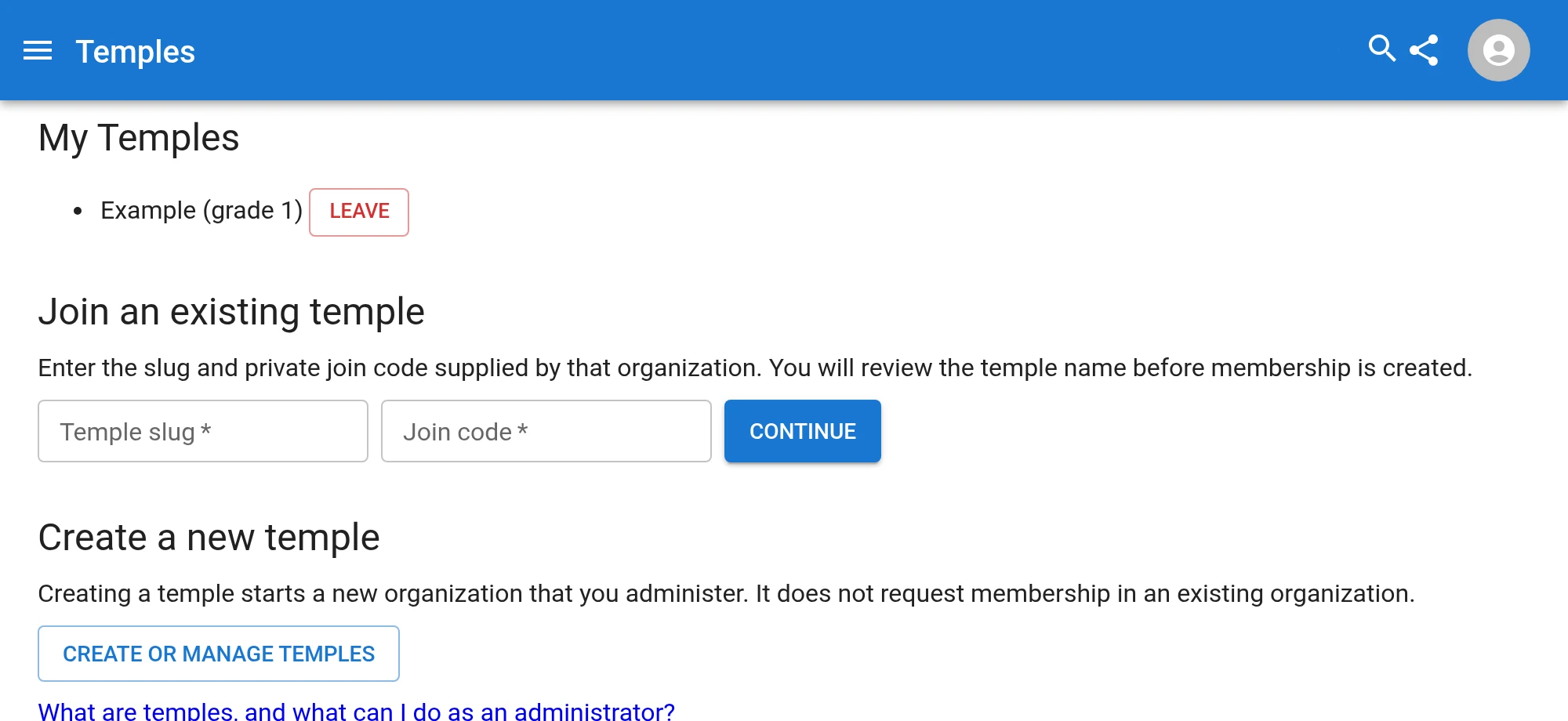
Sign in, open My Temples and choose Create or manage temples. Anyone who is signed in can create a temple, which makes them its first administrator, at grade 0. Creating a temple does not join any existing organization, and a temple you create is not public.

From there the usual order is: set your own grade and motto, invite your members, then create your rituals. The sections below follow that order.
Members, grades and administrators
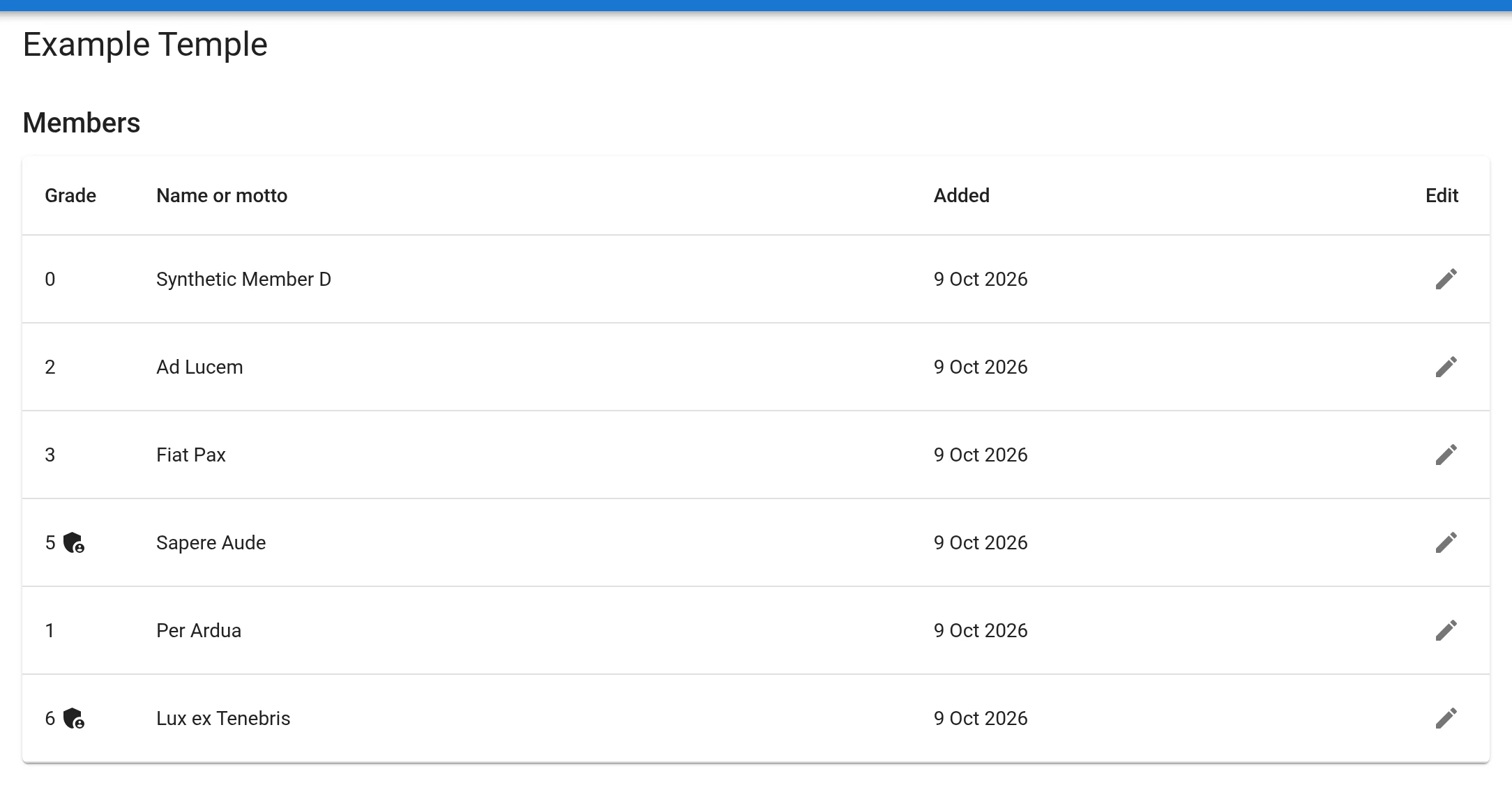
Each temple’s admin page lists its members with their grade, their motto (or, if they have none, their name) and the date they were added. Administrators are marked with a shield.
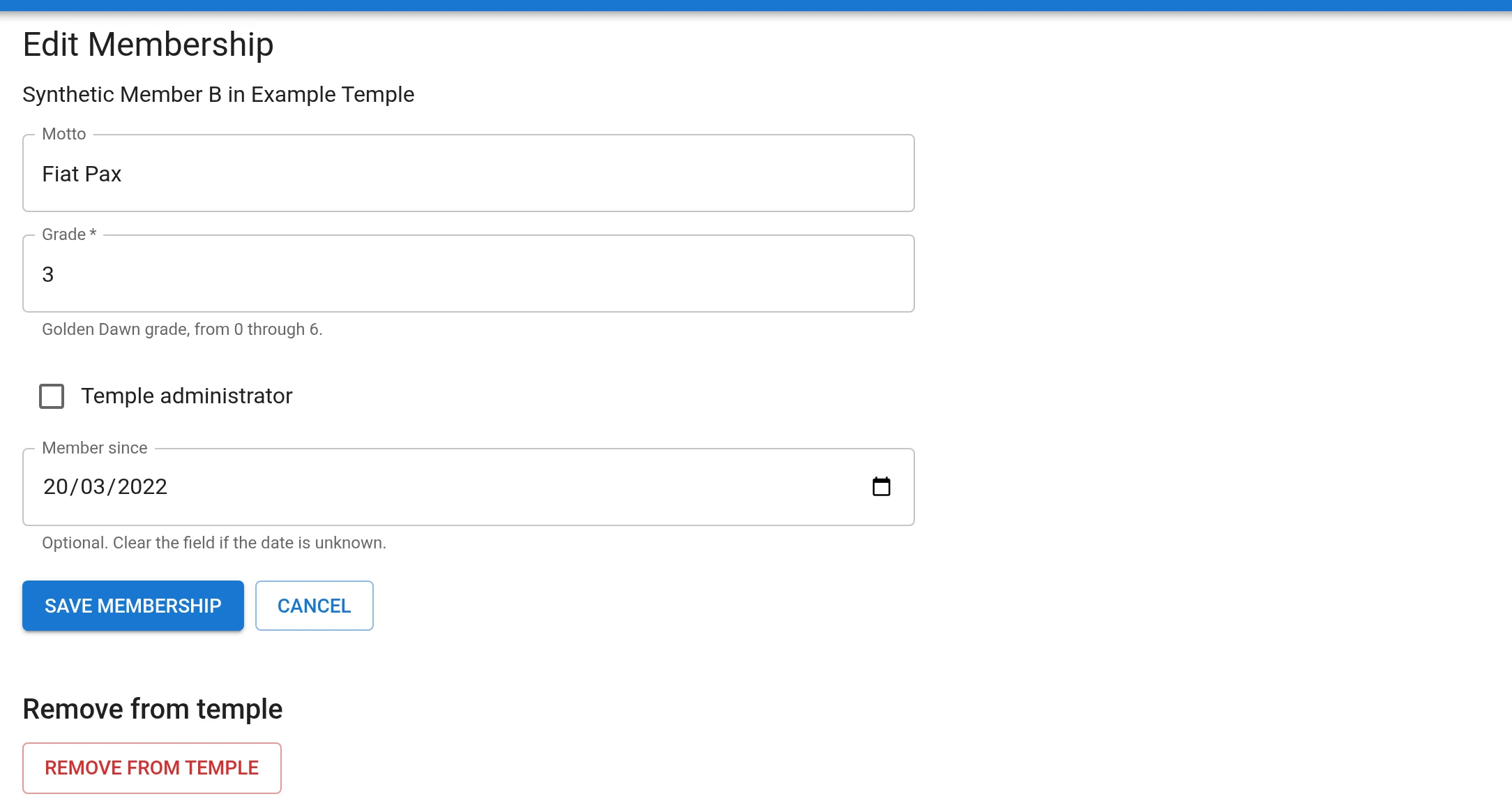
Editing a member sets four things:
- Grade, from 0 through 6, using the Golden Dawn numbering. A new member starts at 0. Grade is what decides which private rituals a member can read.
- Temple administrator, which is separate from grade. An administrator can manage members and the join code, create rituals for the temple, and edit every ritual that belongs to it. An administrator can read all of the temple’s rituals whatever their grade.
- Motto, shown in the list in place of the name.
- Member since, an optional date.
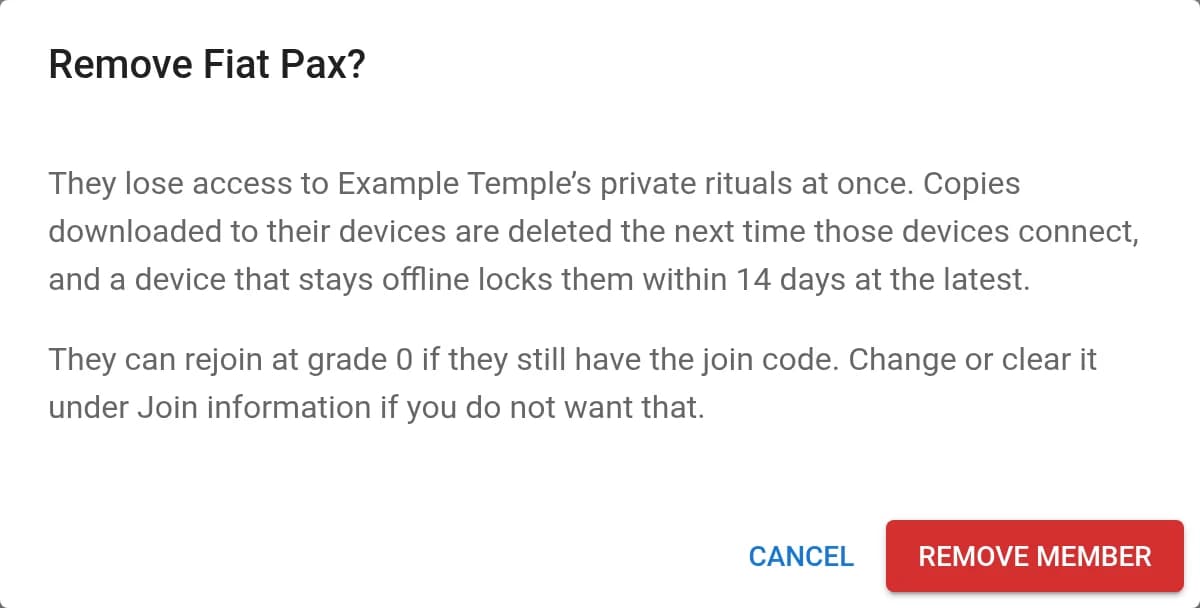
Remove from temple, at the foot of that page, takes someone out of the temple after a confirmation. Members can also leave by themselves from My Temples. Either way the person loses the temple’s private rituals (see When access changes). A temple always keeps at least one administrator, so the last one can neither be removed nor leave until someone else has been made an administrator.
Inviting people
Members join themselves. A temple has a slug and an optional join code. Anyone signed in who is given both can join, either by typing them into My Temples or by opening the invitation link, which the admin page also shows as a QR code to scan or print. Joining always shows the temple’s name and asks for confirmation first, and the new member starts at grade 0 for you to raise.

Treat the code like a password for the door: change it if it has been shared too widely, and change or clear it when you remove someone who still has it, because they can use it to rejoin (at grade 0).
Private rituals and grade gating
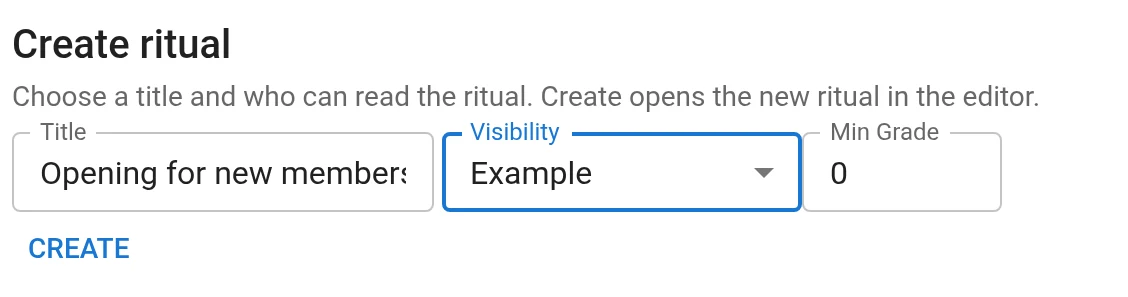
Temple administrators create rituals from the Rituals page, by giving the ritual a title and choosing who can read it. The Visibility menu offers the temples they administer; choosing one asks for a Min Grade. Members at that grade or above can read the ritual. Members below it cannot see that it exists. Create opens the new, empty ritual in the editor, where you write it.
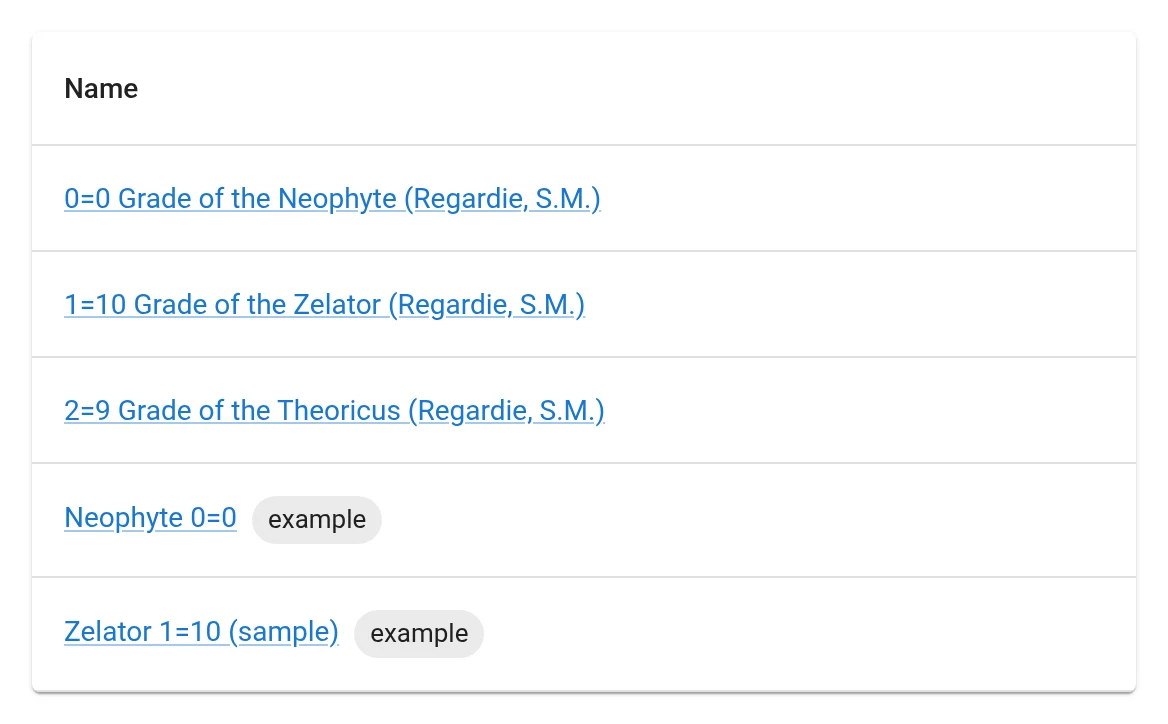
The list shows each reader the rituals they may read, tagged with the temple’s slug. Here a grade 1 member sees the public rituals, the temple ritual for grade 0 and the one for grade 1, but not the one reserved for grade 5 and above.
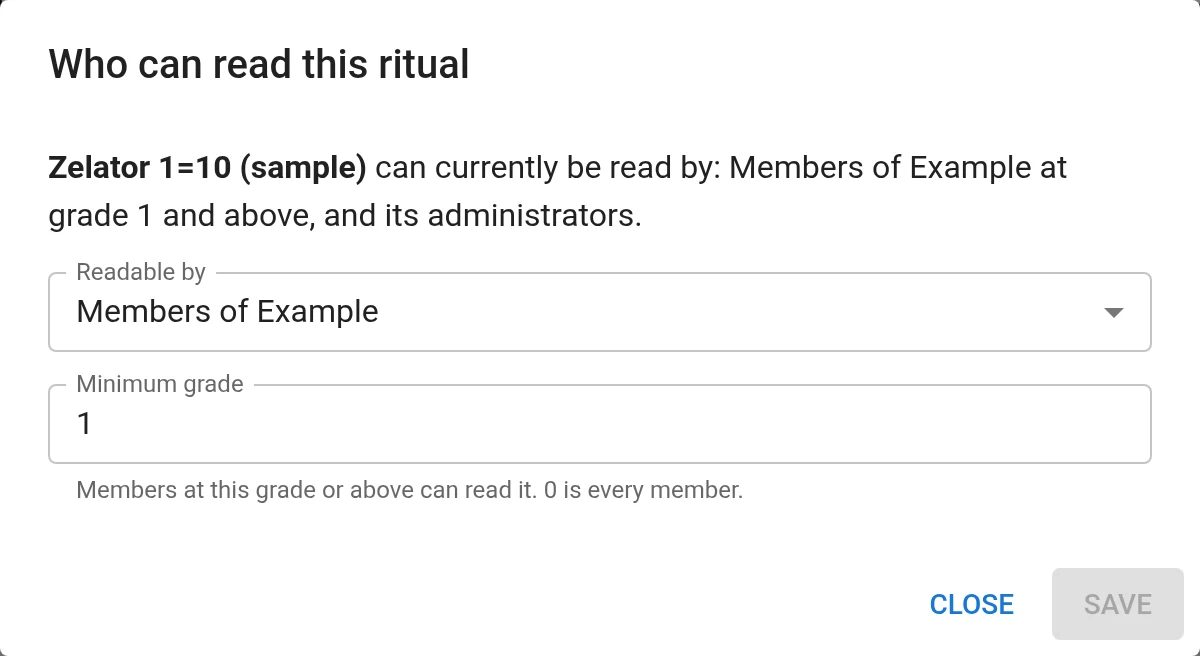
The visibility and minimum grade are not fixed at creation. Open the ritual in the editor, choose the ⋮ menu and Who can read this ritual…. A temple administrator can raise or lower the minimum grade, or move the ritual to another temple or group they also administer. Only Magick.ly’s site administrators can make a ritual public, after a warning, because everyone, signed in or not, can then read it.
Some things to know:
- Readers get the finished ritual, not its source or edit history. Only the temple’s administrators, and the ritual’s creator for as long as they remain in the temple, can open the editor.
- Rituals on Magick.ly are for people who already have a teacher or have studied the work. The tools here help a group organise what it already uses; they do not replace instruction.
The ritual editor
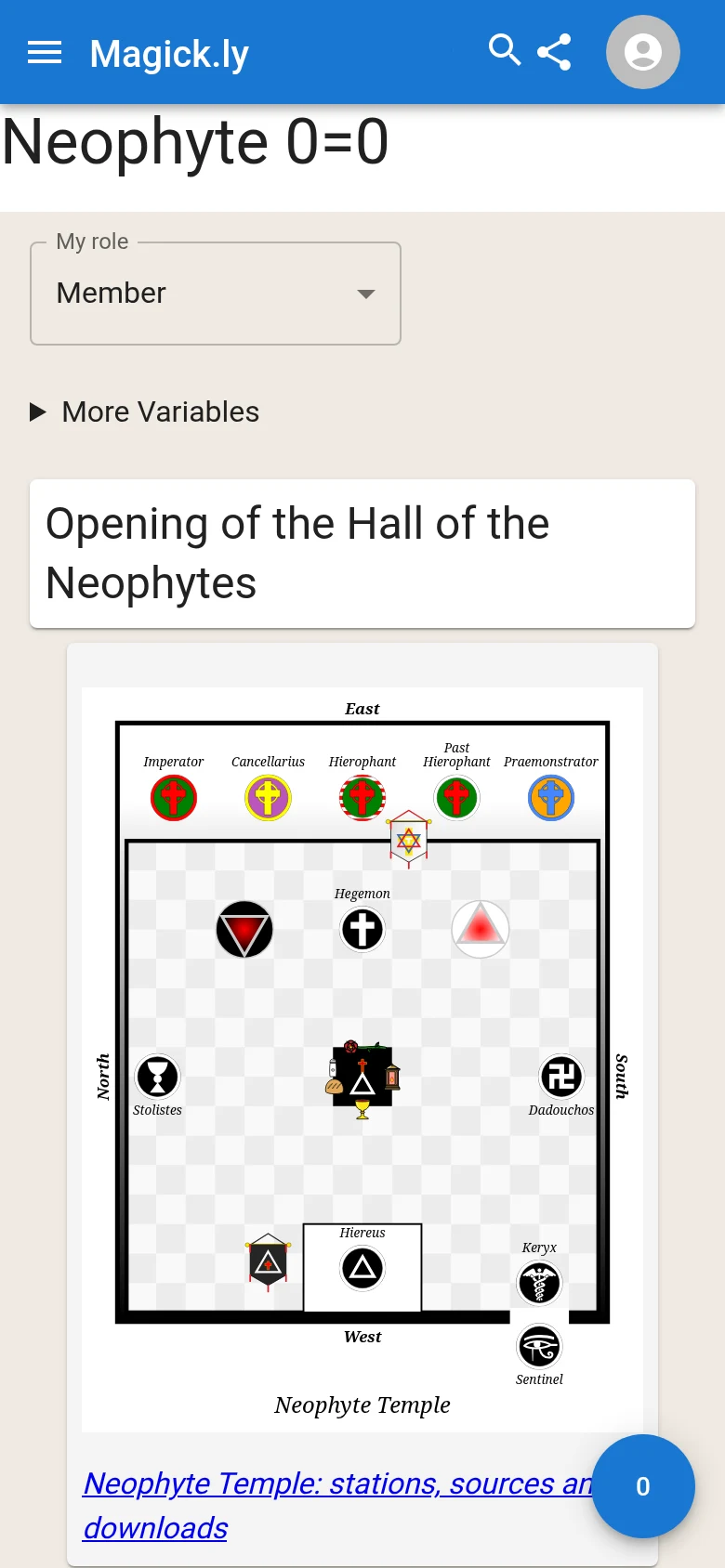
Administrators edit a ritual in the same editor everywhere on the site. It shows the ritual in whichever of three ways suits the job, and remembers your choice:
- Source edits the ritual as plain text in Ritual Pug, which suits large changes and find-and-replace.
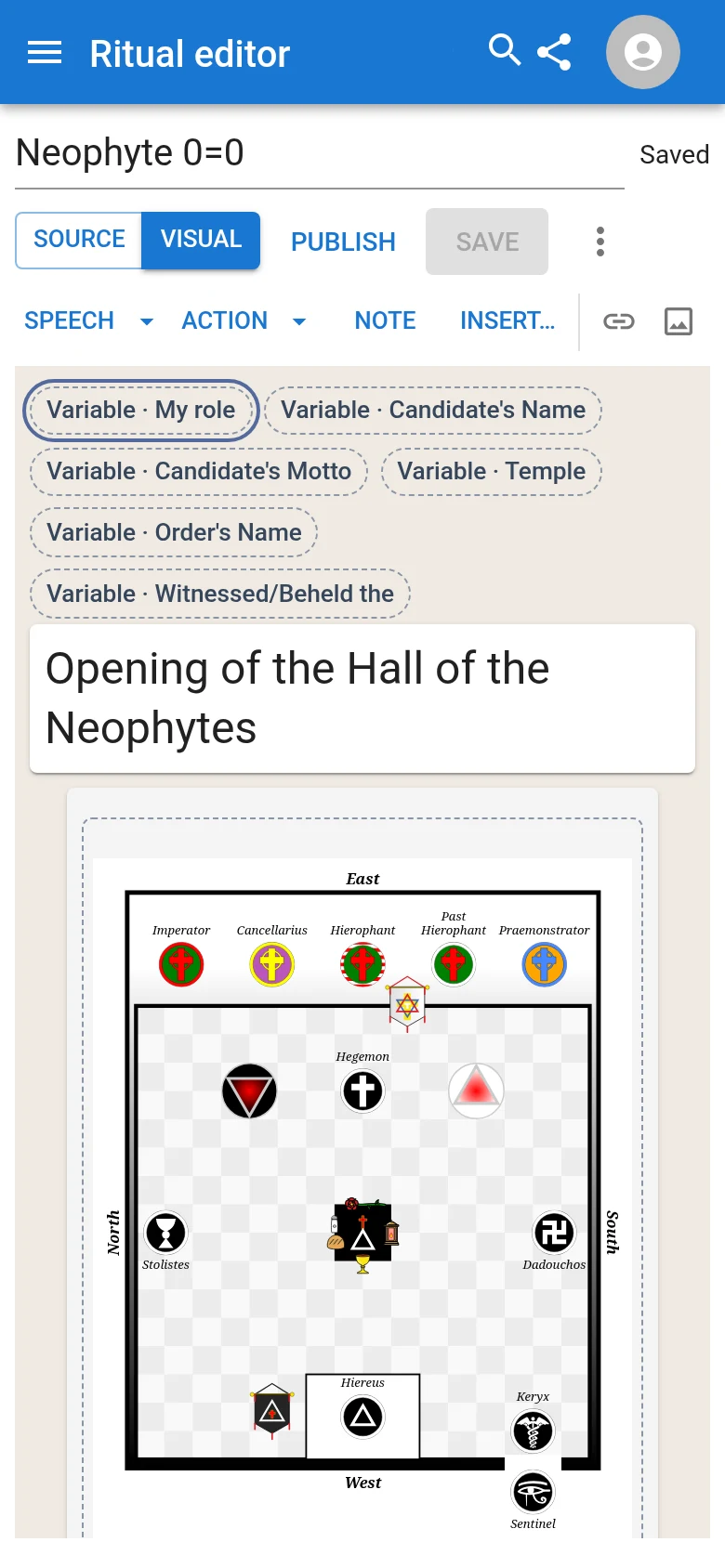
- Split shows both side by side, the source on the left and the visual editor on the right; a change in either updates the other. A phone has room for one at a time, so it offers Source and Visual.
- Visual edits the same ritual as the reader sees it: speeches and actions for each officer, notes, variables and images.
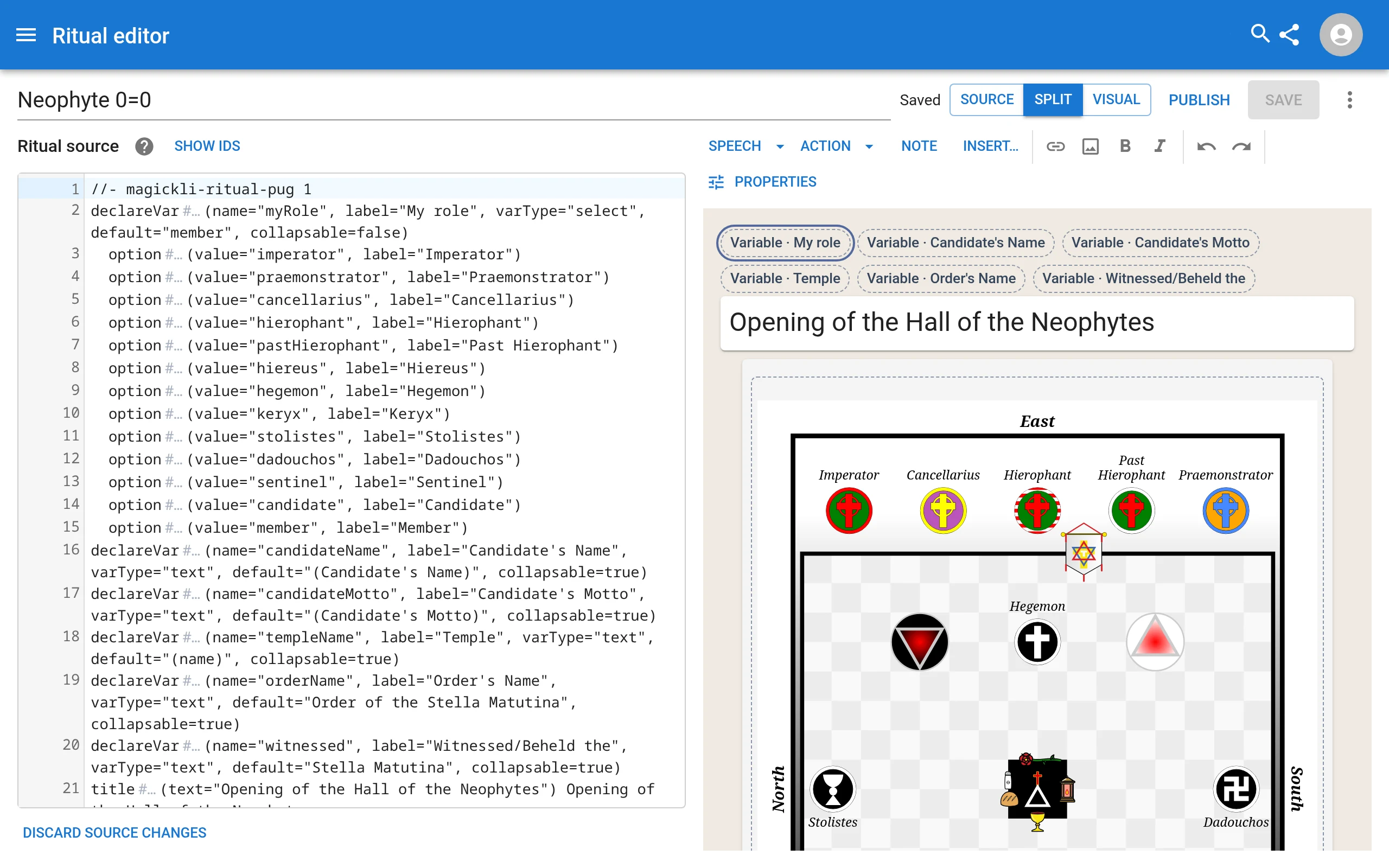
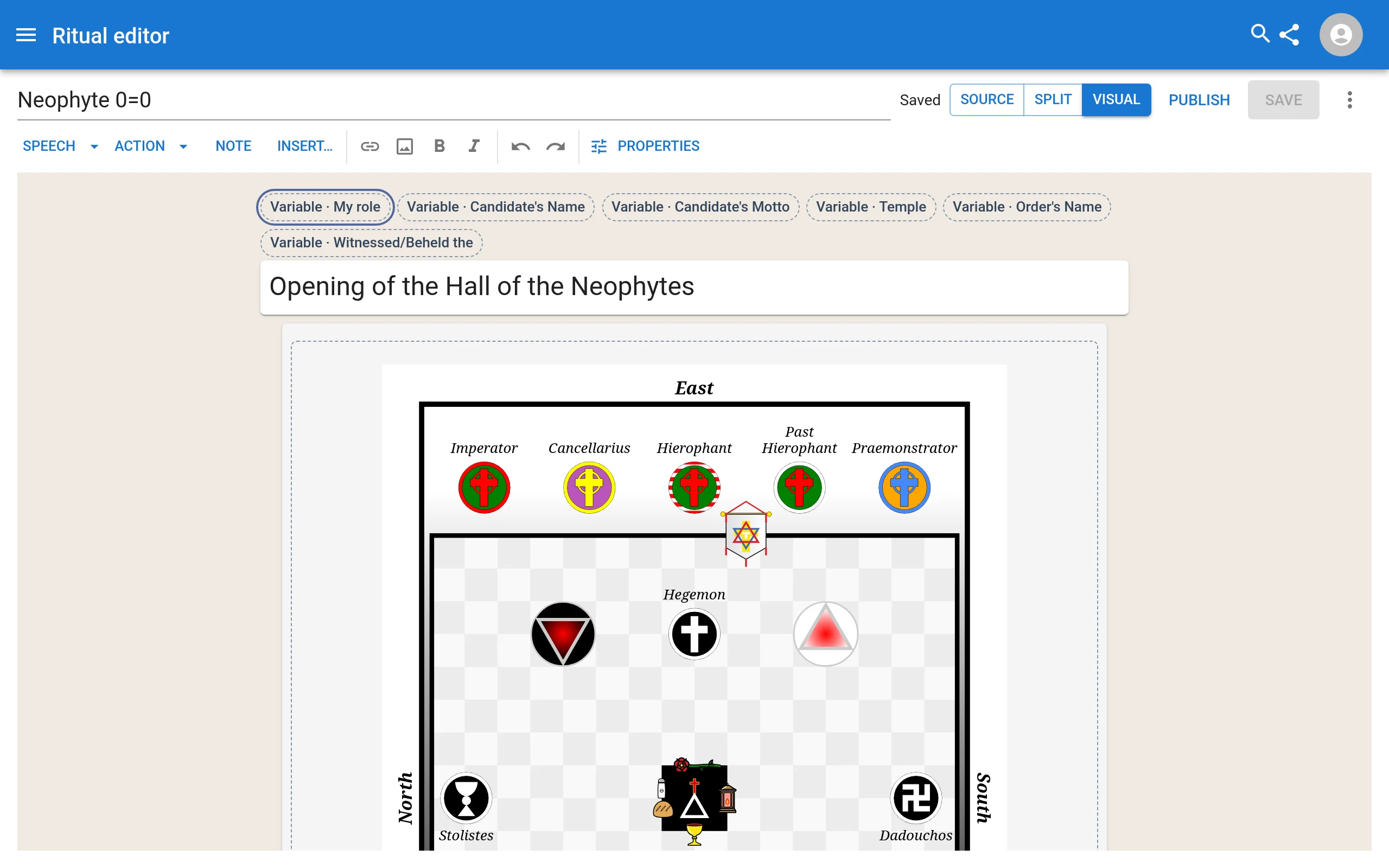
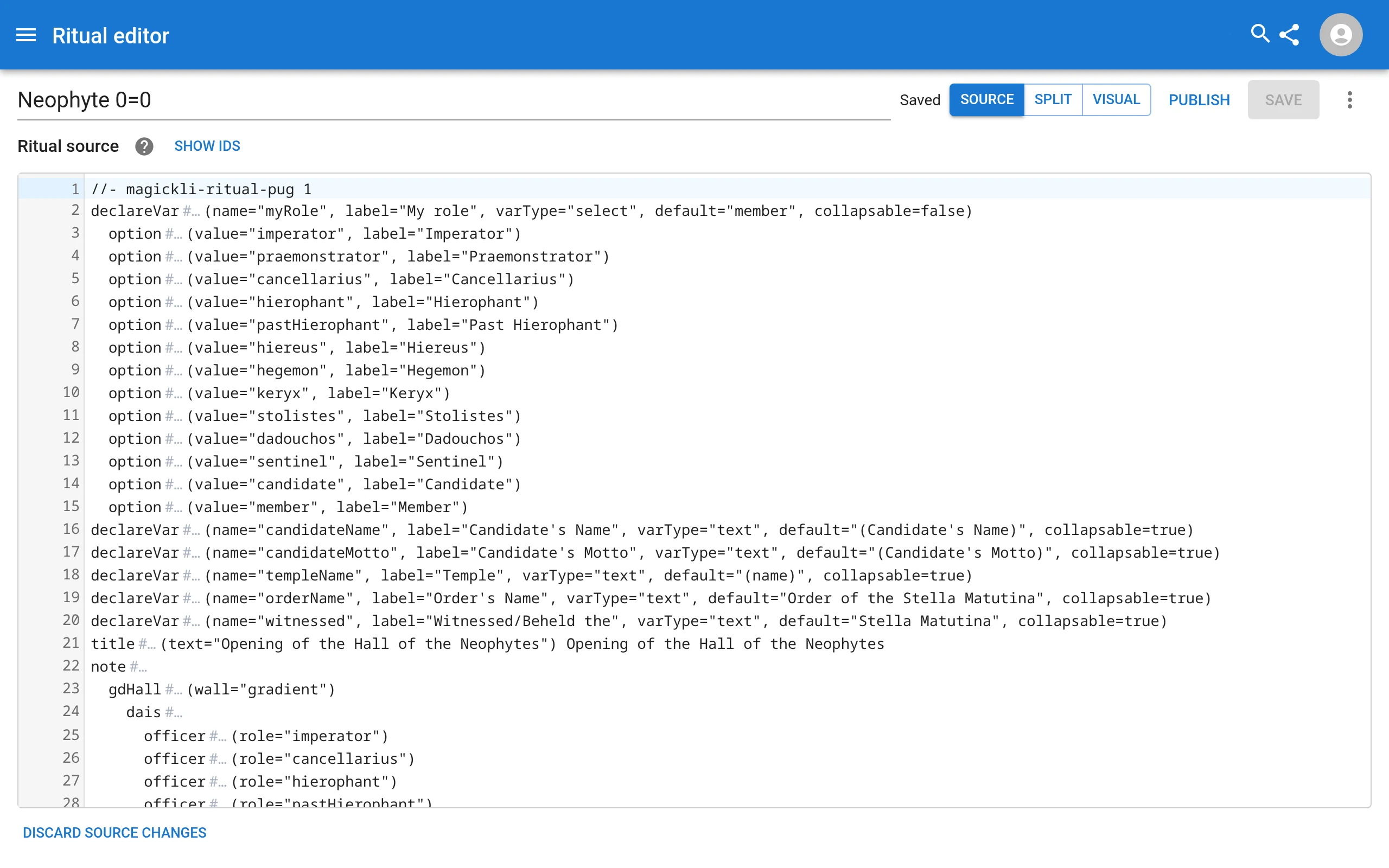
Save keeps a new version of the ritual. Members can download a ritual for offline use once its saved version is published: the editor does this after a save while you are online, and Publish does it on request. The editor also keeps an unsaved draft in your browser, so an interrupted session can be picked up again. The Ritual Pug guide covers the source syntax, the slash commands and the settings for each speech and action.
When access changes
Rituals are checked against the member’s current grade, not the grade they had when they last looked.
- Lower a member’s grade below a ritual’s minimum and they lose it. The next time their device asks the server for that ritual, it is refused, and any downloaded copy is deleted from that device and closed wherever it was open.
- Raise a ritual’s minimum grade (or move it) and everyone who no longer qualifies loses it in the same way, as if their own grade had dropped.
- Remove someone from the temple, or let them leave, and every temple ritual goes with them, including the ones they created. The same applies to a downloaded copy on their device.
- Remove administrator rights and the person can no longer open the editor. They can still read the rituals their grade allows, but the downloaded source and any drafts are locked.
- One exception: the person who created a ritual keeps reading and editing it, at any grade and without being an administrator, for as long as they remain in the temple. Removing them ends that too.
- Offline and not yet reconnected? A device that has not reached the server yet cannot know. Each downloaded ritual carries a 14-day limit, counted from the last time the server confirmed access. After that, the copy locks and is removed the next time the app runs, even if the device never reconnects. If the device does reconnect sooner, it learns the change as soon as it asks.
- Delete a ritual and everyone loses it at once; see Deleting a ritual.
A browser cannot be made tamper-proof, and nothing can unread what a member has already read or copied. The 14 days is a time limit on a well-behaved copy of the app, not protection against a determined person with their own device. Treat the ritual text as you would any document you have shared in person.
Deleting a ritual
Anyone who can edit a ritual can delete it: the temple’s administrators, and its creator while they remain in the temple. Open the ritual’s editor and choose Delete ritual… from the menu. The dialog says who will lose it. A public ritual can only be deleted by Magick.ly’s site administrators.
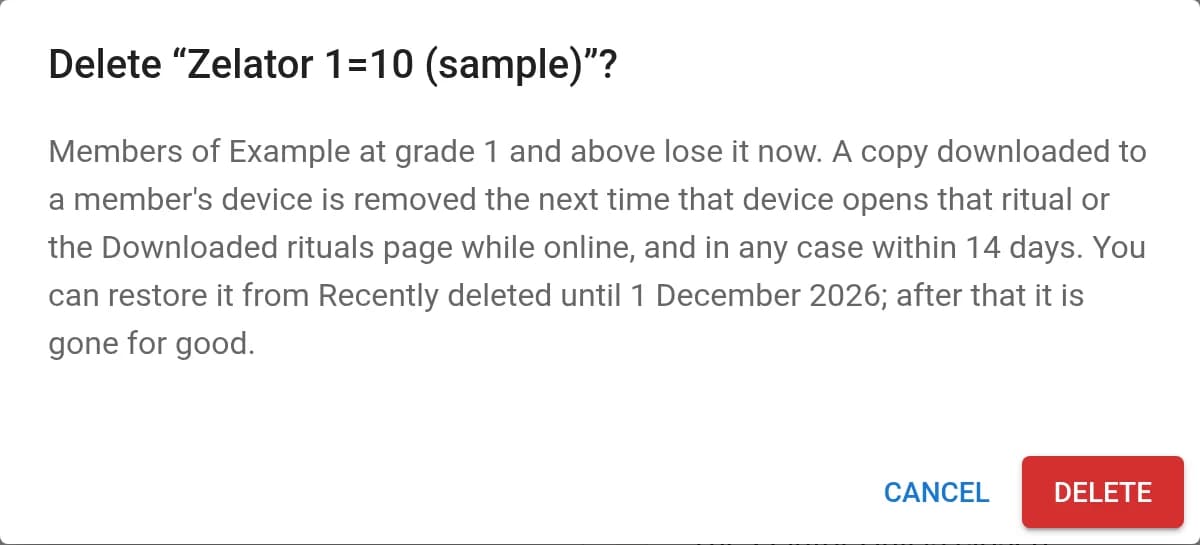
- Deleting hides the ritual from everyone at once, as though it had never existed. Right afterwards the rituals list offers Undo.
- A copy downloaded to a member’s device is removed the next time that device opens that ritual or the Downloaded rituals page while online, and in any case within 14 days.
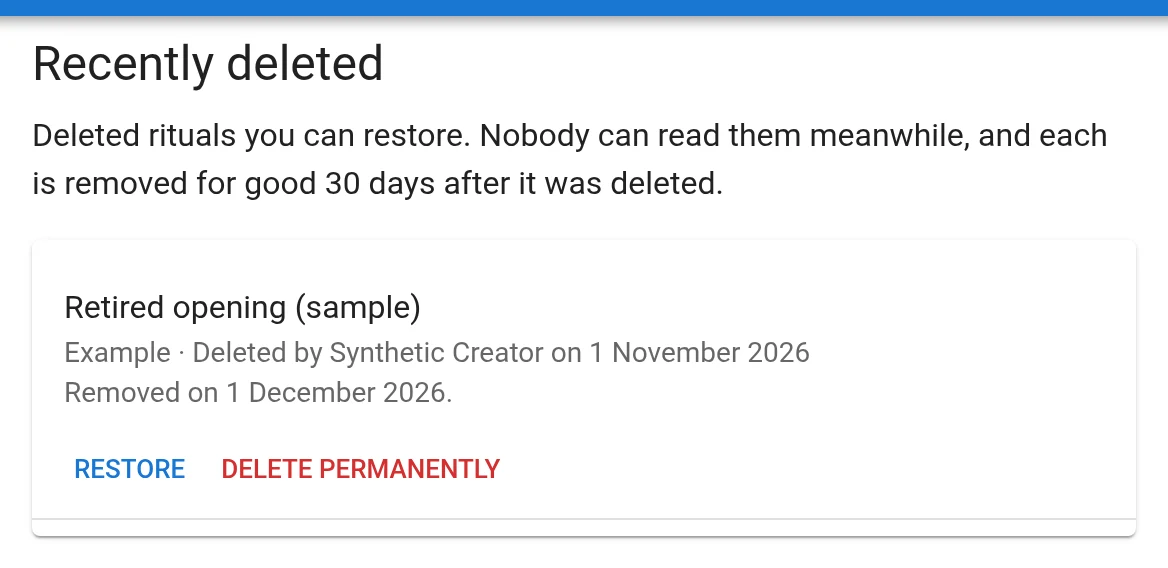
- Recently deleted, linked from the rituals list and from the temple’s administration page when there is something in it, lists the deleted rituals you can restore. Restore brings one back as it was, with its history, for everyone who could read it before.
- Recently deleted keeps a ritual for 30 days. Then it is removed for good, with its text, its history, its images and its published copies.
To remove a ritual sooner, the temple’s administrators (not its creator, unless they are one) can choose Delete permanently in Recently deleted and type the ritual’s title. It is final at once, nobody can restore it from then on, and it is removed within a day.
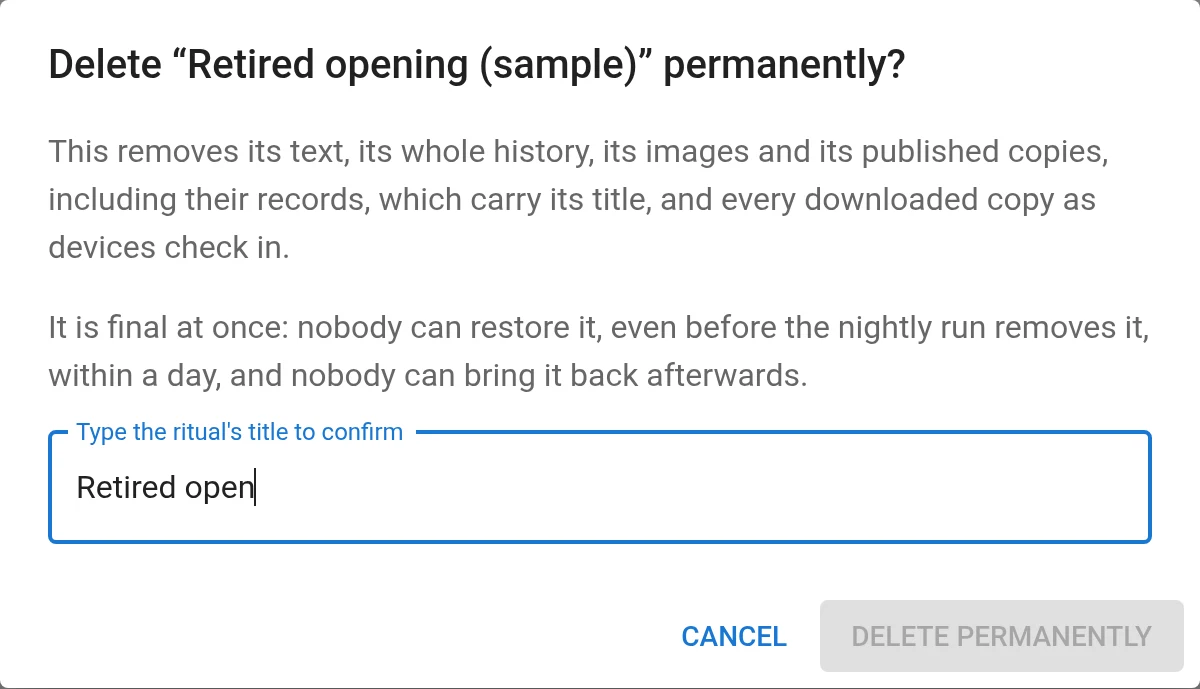
Recently deleted is the only way back. Once a ritual is removed, it is gone: neither you nor the site’s administrators can recover it. Rituals carried over from the old Magick.ly in September 2026 also stay in the migration’s records until those are retired, and their images stay reachable at their old addresses.
Deleting cannot reach what a member has already read or copied, nor drafts an editor left on their own device: those stay there, and can still be downloaded from the editor’s menu.
Reading offline
Opening a temple ritual while connected downloads it to your device. After that it opens without a connection, images included, until the 14-day limit above. Downloaded rituals lists what your device holds; opened while connected, it also checks each download and removes any you can no longer read. Signing out removes the downloads.
Connecting a forum
If your temple runs a Discourse forum, an administrator can connect it from the temple’s admin page and keep it in step with the member list. You need the forum’s web address, an API username (usually system) and a global API key, which you create in the forum’s own admin area under API.
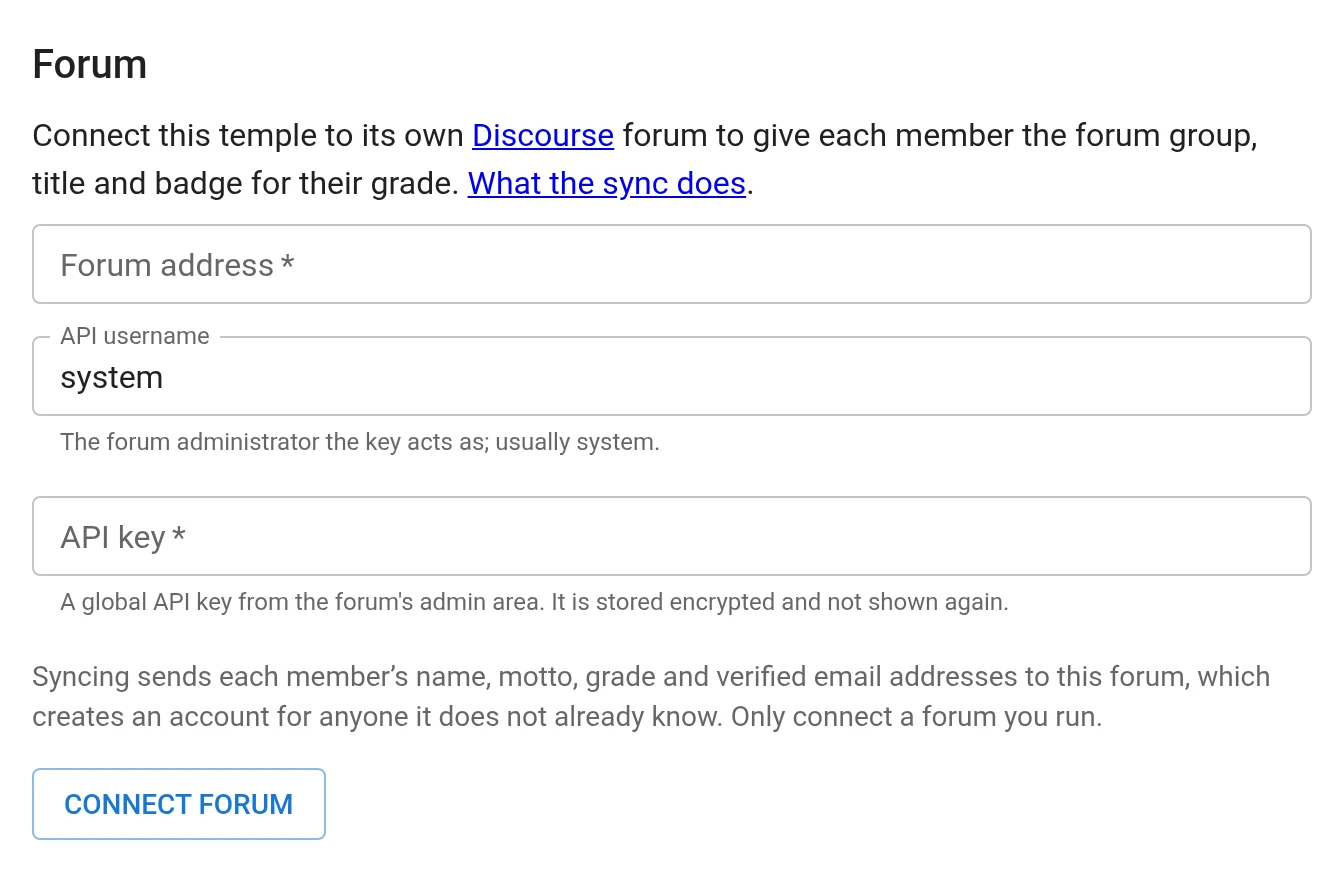
When you save, Magick.ly checks that the forum accepts the key as an administrator’s. The key is then stored encrypted and never shown again, only its last four characters so you can tell which one is saved. Changing the forum’s address asks for the key again, so a saved key cannot be pointed at a different server. The address must be a public https site, and each request to it has a short time limit.
Synchronize with Discourse then does this, when an administrator presses it:
- Makes sure the forum has a group for each grade, from Neophytes to Adepti Majores, closed to joining and hidden from the public.
- Finds each member’s forum account: one it was linked to before, or the one that matches their verified email address. If an address matches more than one account it skips that member rather than guess. If there is no account it creates one, named after their motto and with a random password; they sign in through the forum’s password reset.
- Renames the forum account to the member’s motto, puts it in the group for their current grade and out of the other grade groups, and makes that group the account’s primary group, which is the badge beside their posts, with the grade as their forum title (Zelator, Theoricus and so on).
- Takes people the sync knows about, who are no longer members of any temple on that forum, out of the grade groups. Anyone it does not know, such as the forum’s own staff, is left alone.
The sync is manual and only ever changes the forum: nothing happens until an administrator presses the button, so run it after changing grades or removing someone. It reads the forum’s groups and accounts to do its work, and remembers which forum account belongs to which member, but it never changes a member’s grade or anything else on Magick.ly.
Privacy. A sync sends each member’s name, motto, grade and verified email addresses to the forum, which creates accounts for people it does not know. New members are told this when they join. Tell existing members before you connect a forum, and connect only a forum you run. Magick.ly’s own site administrators can also sync a temple that has no forum of its own with the Magick.ly forum.
What it does not do (yet)
- Temples cannot be renamed or deleted from the site.
Magick.ly’s own site administrators can manage every temple, and can sync one with the Magick.ly forum.
Feature requests
Temples run in many ways, in person and online, and this is a small part of what they need. Requests are welcome on the project’s GitHub page. Ideas we are weighing, in no particular order, and would like to hear which matter to you:
- Summonses and RSVPs for meetings.
- An attendance register.
- A library of temple documents, with the same grade gating and offline use as rituals, in place of photocopies of photocopies.
- Membership dues and subscriptions.
- Finer control over who can read a document: an exact grade, or officers only.
- Printing or exporting a document with a name on it.